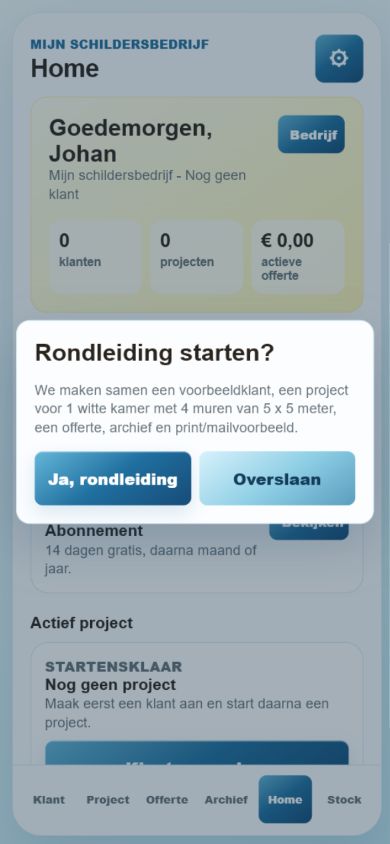
Keep customers, painting projects, quotes and materials connected.
Painter Mate is a mobile workflow for independent painters and small teams. Start with a customer, build a project, prepare a quote and keep the related photos, paint stock, materials and reports together.
For independent painters, small contractors and small painting teams.
Getting startedThe guided introduction to the painter workflow.ProjectsKeep the work connected to a customer.QuotesPrepare a quote from the project information.StockKeep paint and material quantities organised.
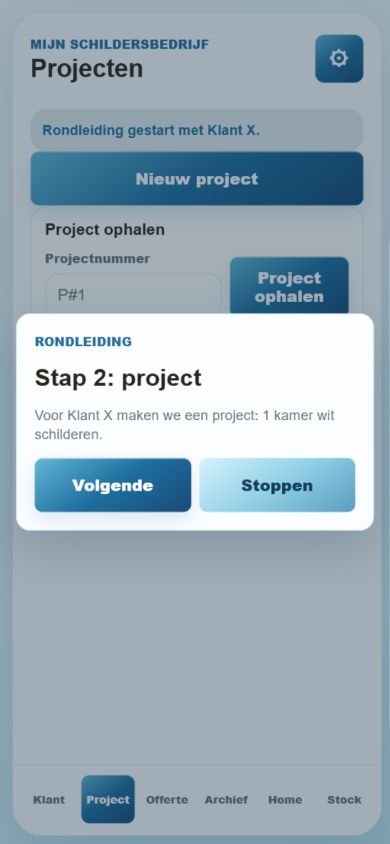
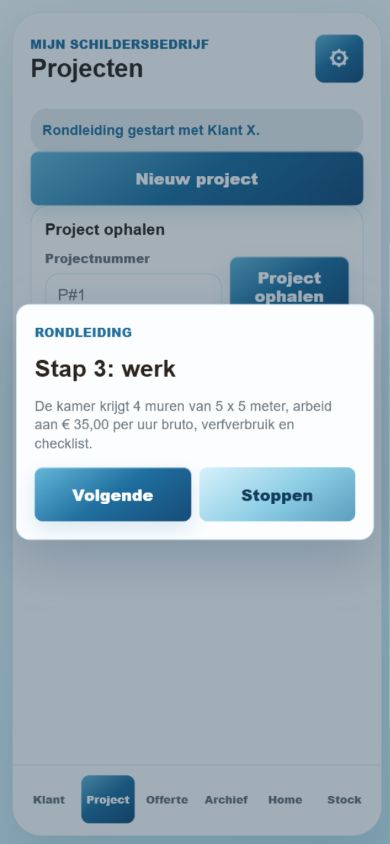
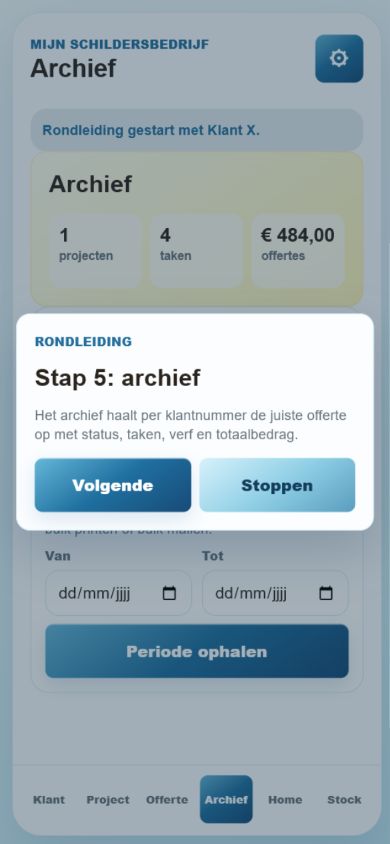
The screenshots illustrate the existing guided workflow. Contact Vamit for current availability and access details.
Use one project record for one clearly defined job so quotes and photos remain easy to find.
Create the customer and check the contact details before using them in a quote or shared report.
Add a project for that customer. Give it a recognisable name, such as the room or property and the type of work.
Record the project scope and relevant site details. Distinguish preparation work, coats and finishing tasks rather than relying on a vague overall description.
Attach the relevant before photos and use the site checklist to record practical tasks. Only include images you are authorised to store or share.
Return to the same project as work progresses so later photos, materials and reports remain connected to the original job.
GUIDE 02
Prepare and check a quote
The quote is only as useful as the measurements, rates and scope you enter.
Open the quote flow for the intended customer and project. Confirm both before entering amounts.
Add work items, paint use and materials. Keep units consistent: litres of paint, containers and quantities of materials describe different things.
Review applicable travel or distance fees, rates and margin information. Do not assume an example or previous project's value applies to the new job.
Read the preview from the customer's perspective. Check the scope, exclusions, quantities and totals before exporting or sharing.
Use the available print, mail or report flow only after reviewing the document. Save a copy for the project and confirm that the destination is correct.
GUIDE 03
Keep paint stock useful
Treat the colour reference and the amount on hand as separate information.
Create a stock record with the paint or material name and a consistent unit. Add a RAL or colour reference where relevant.
Record the usable amount actually available. An opened tin may contain less than its original pack size.
When checking colours, use camera-assisted colour information as a reference rather than a guaranteed match. Lighting and the phone camera affect the result.
Review and update stock after using materials on a project. Compare the app with physical stock before ordering for the next job.
Common questions
Answers for Painter Mate
Who is Painter Mate designed for?
Independent painters, small contractors and small teams that want customer, project, quote and material information in one mobile workflow.
Are colour scans an exact paint match?
No. Camera readings depend on lighting, surface and device. Confirm important colour decisions with an appropriate physical or manufacturer reference.
Will the app decide my prices?
No. You supply and review the rates, quantities and scope. Check the quote preview and totals before sending anything to a customer.
Is business information stored locally?
The documented workflow is offline-first: customer, project, quote and stock data are local by default. Sharing or exporting creates a copy at the destination you choose. Read the privacy policy before using optional online features.
How do I get access or report a problem?
Contact support@vamit.net and mention Painter Mate. Include the app version and the steps that caused the problem, without sending confidential customer information unnecessarily.
More detail
Features and background
What it does
Built around the real painter workflow.
CustomersProjects per customerQuote makerBefore/after photosPaint stockRAL/color scanning supportMaterial catalogHours and planningChecklist per siteReports and export preparationApp Open and interstitial ads in free versionSubscription-ready flow
Privacy
Offline-first by design.
Painter Mate stores customers, projects, quotes, photos, checklists, paint stock, material stock and settings locally on the device by default. Cloud or email sharing happens only when the user chooses it.
For help with Painter Mate, mention your app version, device and what happened. Do not send passwords, invitation codes or unnecessary personal information.